Heal has new features coming to help make the patient arrival process easier, you can learn about these below:
|
Preventing duplicate records is critical to ensuring accurate, relevant healthcare records so that our clinicians can provide the best care. The new feature is initiated automatically when creating a new patient file on the Heal application by clicking the "Open with EMR" button on E-Live. The process will remain as is, however, in the background the Heal application will use a typo tolerant algorithm to detect if the patient already exists.
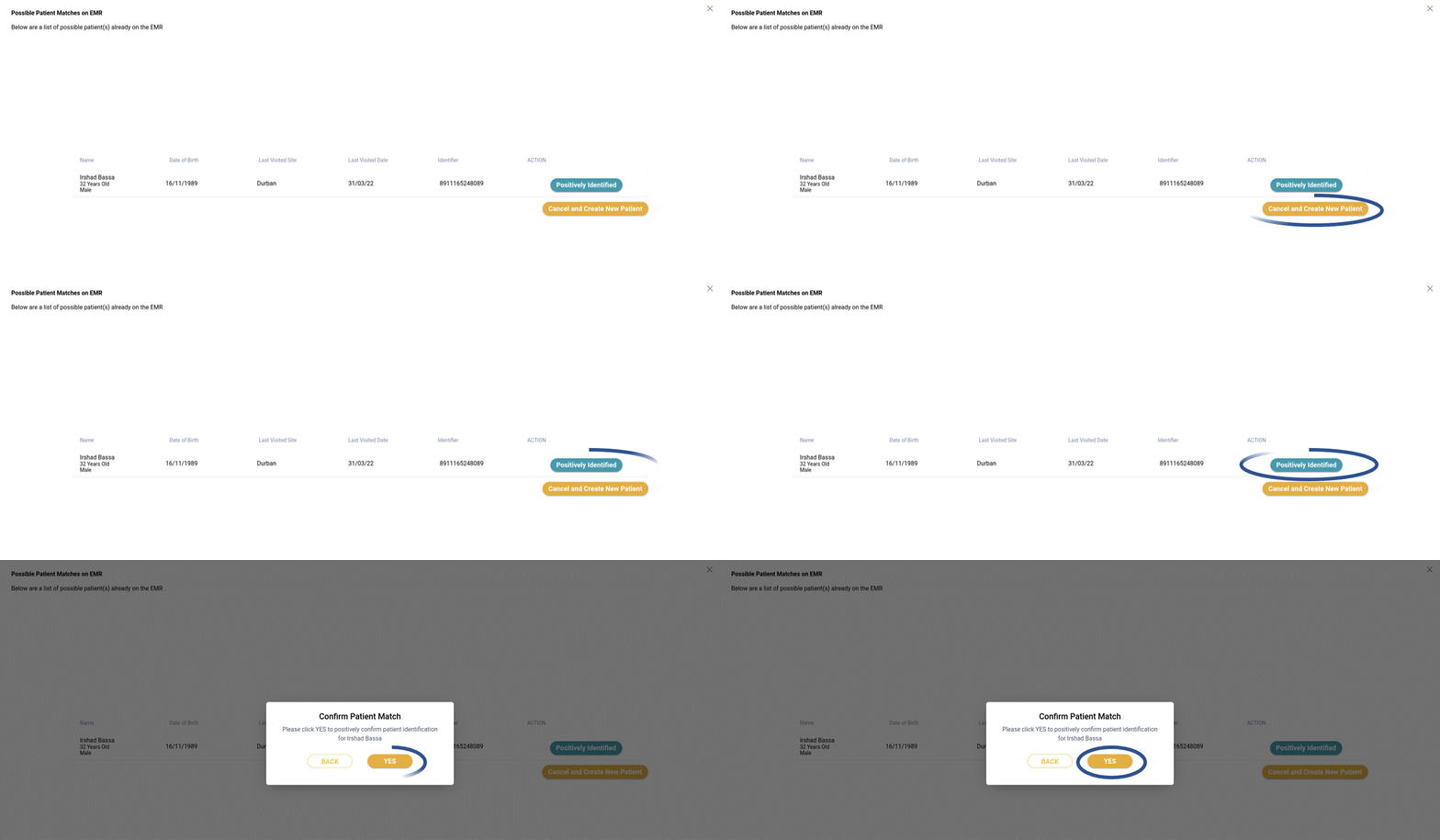
When a potential match for a newly arrived patient is identified, a new screen as shown below, will appear. This screen shows potential matches, their personal information, such as ID number, date of birth as well as the last Medicross site visited. The customer care consultant can use this information to verify if one of the matches is the patient. If a match is identified the user can click "positively identified", which will reuse the existing file. If none of the matches shown are correct, the customer care consultant can click “no matches found", which will result in a new file being created.
|
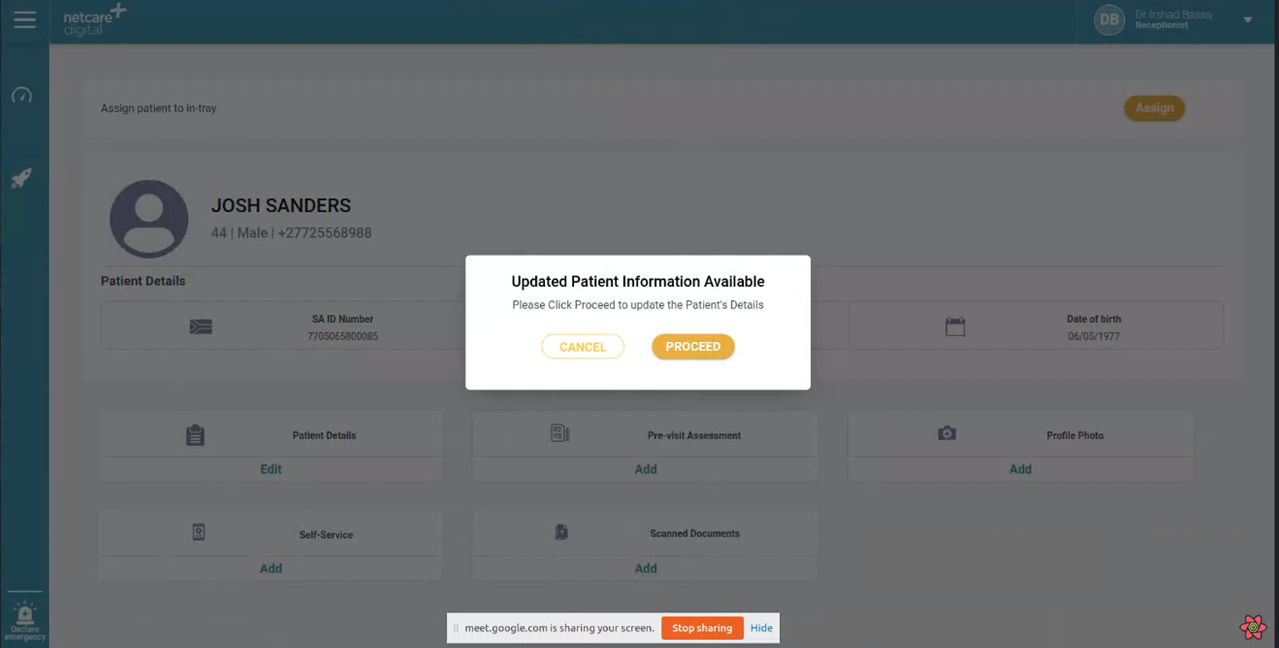
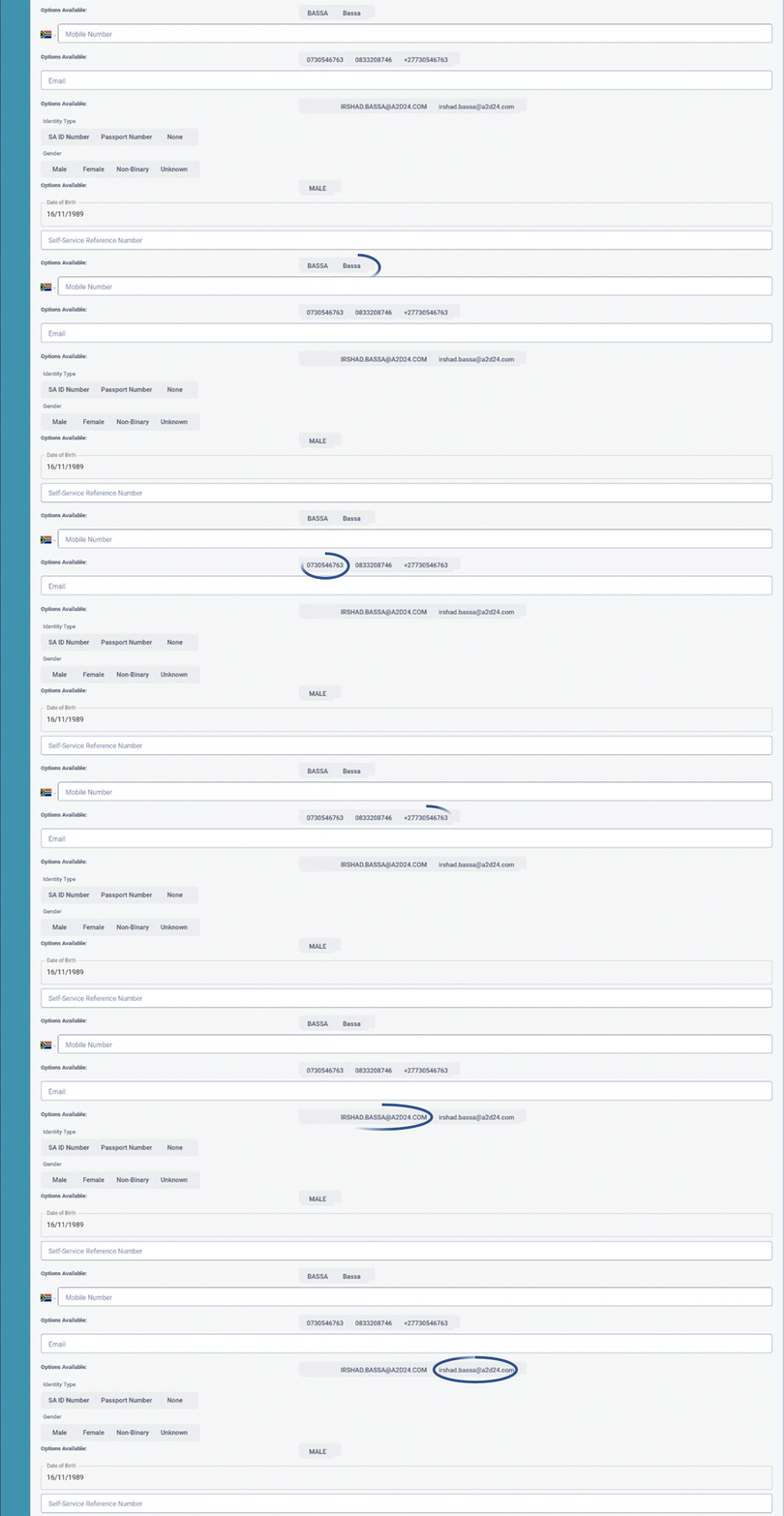
Over time we expect patient demographic information on E-Live to change. To ensure accurate demographic information is stored in the Heal application, we added a new feature to check for updates on E-Live upon each arrival. This new feature will be initiated automatically when by clicking "Open EMR file" button on E-Live. The process will remain as is, however should new demographic data be detected for a patient, the screen below will display to alert the customer care consultant of the new information.
|